

Where to find them
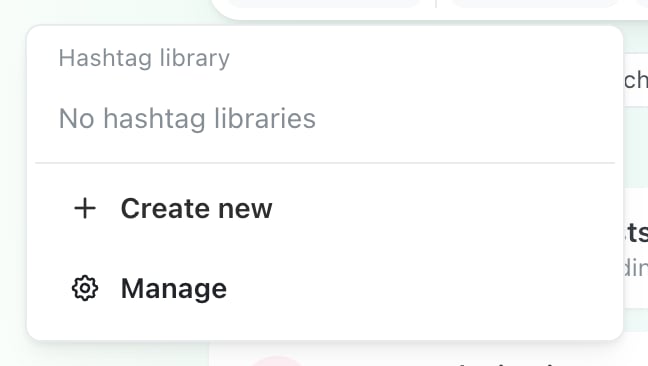
The Hashtags menu in the AI post composer, on a brand that has none yet. Create new and Manage are there either way.
The post editor’s Manage hashtags control is attached to the hashtag suggestion bar, and that bar’s menu only appears when there’s already a library to list. If a brand has none, create the first one from the Hashtags menu in the AI composer.
Create one
Create new opens the library form; Manage opens the full list, where you can edit or delete.1
Create a new library
Choose Create new from the hashtag menu.
2
Name it
The field is labelled Group name, and takes between 2 and 30 characters. Name it after when you’d use it — Product launches, Recruiting — rather than after its contents.
3
Add the hashtags
Type them in, separating with a space, a comma or a
#. Press Enter to add one.You don’t need to type the # — Ocoya adds it. Duplicates are dropped automatically, so pasting an overlapping list from somewhere else is safe.Why it matters for AI posts
This is the part worth knowing. When you pick a library while generating a post, Ocoya is instructed to use only hashtags from that library — it won’t invent new ones, rewrite them, translate them, or change them between singular and plural.#RunningShoe stays #RunningShoe and doesn’t quietly become #RunningShoes.
That matters because a hashtag that’s one character off is a hashtag nobody follows.
With no library selected, the AI adds no hashtags at all unless your prompt explicitly asks for them.
Generating hashtags costs 1 credit, the same as any other AI action. See What are credits?
Choosing what goes in one
A library works best when every tag in it is appropriate for every post you’d use it on, because the AI picks from the whole set. A library mixing product tags with recruiting tags gives the AI room to pick the wrong ones. Several small, specific libraries beat one large general one.Related
Labels
The other reusable asset — for organising posts, not tagging them publicly.
The post editor
Where hashtags, labels and notes all live.