

An AI agent is a saved brief. Workflows use it to write, so instead of describing what you want on every run, you describe it once and the agent applies it every time.
Agents are created and managed from inside a workflow’s Use AI agent step — that’s the only place they live.
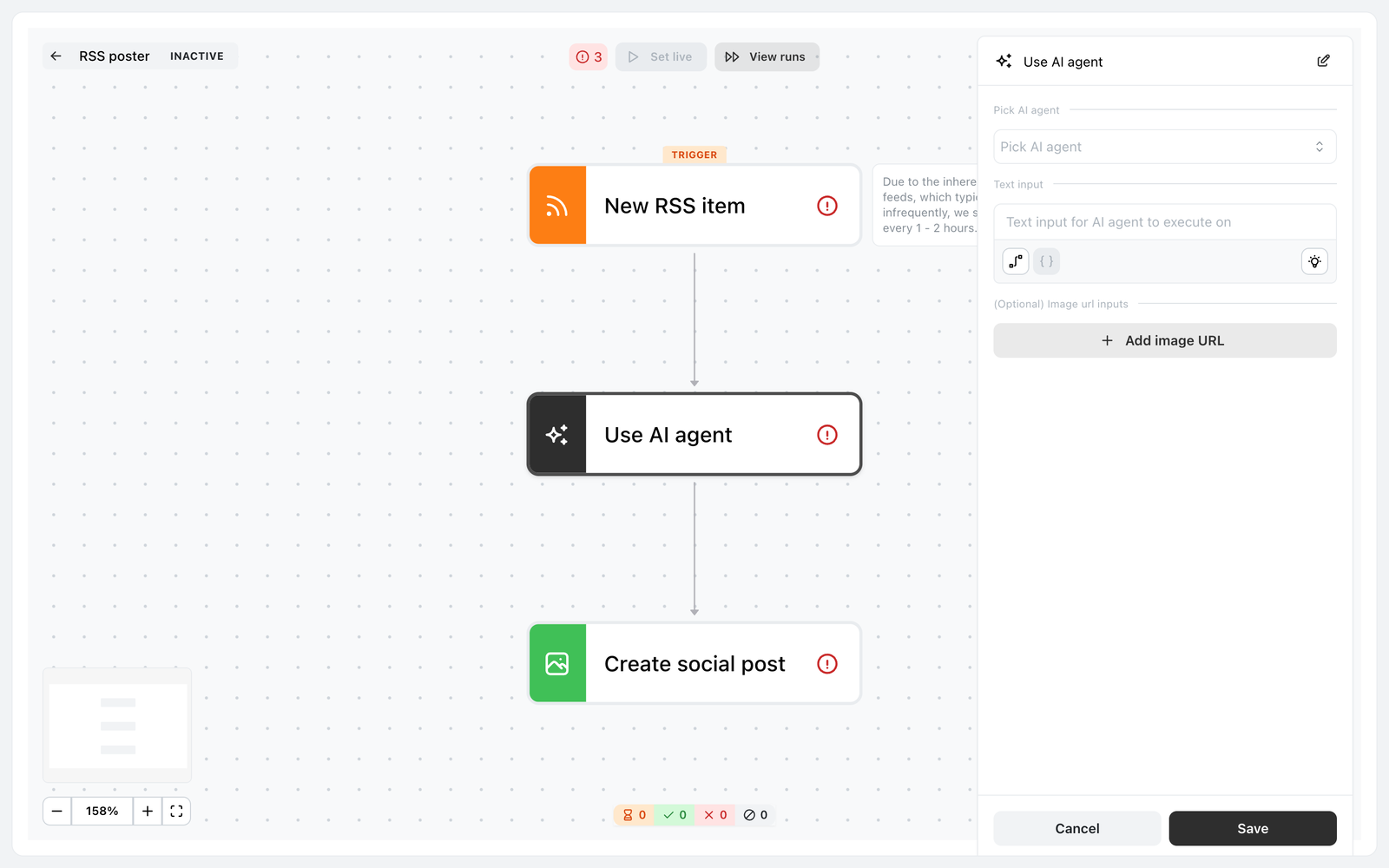
The Use AI agent step, selected in the workflow builder. Pick AI agent is also where you create one.
Create one
In a workflow, select the Use AI agent step, then New agent. An agent holds five things.
Agent name — Used to identify this agent in workflows. Name it after the job: RSS summariser, DM responder.
Prompt — Defines the agent persona, context, and behavior. This is the agent. Everything else is a switch.
LLM — Select which provider and model to use for this agent. The options are GPT-4o mini, GPT-4o and GPT-5.1.
Image generation — Allow the agent to generate images if needed.
Web search — Allow the agent to search the web if needed.
Writing the prompt
The default is You are a helpful assistant, which produces exactly the bland output you’d expect. A prompt worth having covers four things:
- Who it’s writing as — the brand, what it does, who buys from it
- The job — turn the article into a short post that makes someone want to read it
- Constraints — length, tone, what to avoid, whether to include a link
- What not to do — no hashtags, no emoji, don’t invent statistics
The difference between a two-line prompt and a considered one is the difference between an automation you turn off after a week and one you leave running.
The agent’s prompt is separate from your brand profile, which the rest of Ocoya’s AI reads. An agent only knows what its prompt tells it, so restate the essentials there.
Choosing a model
GPT-4o mini is the fastest and cheapest to run. Fine for short, formulaic output — a DM acknowledgement, a one-line comment reply.
GPT-4o and GPT-5.1 handle nuance better. Worth it where the output is public and varied — turning an article into a post, replying to something that needs reading properly.
The credit cost doesn’t change with the model: a workflow run is 1 credit whichever you pick.
Image generation and web search
Leave both off unless the agent needs them.
Image generation makes sense for an agent feeding a Create social post step where you want a visual each time. Web search makes sense when the agent needs something outside what the trigger gives it.
Each adds time to a run and more room to go wrong, so switch them on deliberately rather than by default.
Test before you switch it on
There’s a Test button — Your agent is always ready. Ask it for something. A test costs 1 credit.
Test first, every time. One credit spent checking beats discovering a bad prompt across thirty live runs, and it’s the only way to see the agent’s output before real people do.
Reuse improves everything at once
An agent belongs to the brand and can be used by several workflows. Improving its prompt improves every workflow using it — which argues for a few well-written agents over one per workflow.
Edit AI agent and Delete AI agent are in the same panel. An agent still in use by a workflow can’t be deleted until you disconnect it there.