

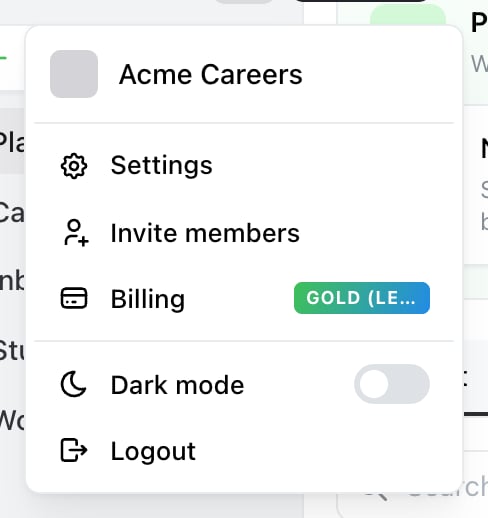
Start here. The account menu is the avatar at the top of the sidebar — Invite members goes straight to Team.

Settings → Team lists everyone with access, with Invite in the top right.
Send an invitation
Select Invite, enter their email address and choose the role they should have. Ocoya emails them an invitation. Choosing the role matters more than it looks — it decides what they can change, and Client is the deliberately narrow one for the person whose accounts these are. See Roles and permissions. If they already have an Ocoya account, they’re added straight away. If not, the invitation walks them through creating one.Pending invitations
Someone invited but not yet joined shows in the list as Invite sent, with two actions:- Resend invite — if the first email didn’t arrive or was lost
- Cancel invite — withdraws it. Ocoya confirms first
When you hit the limit
Your current plan has reached its member limit. Upgrade to invite more people.Members are counted across all your brands, not per brand. Starter includes 1, Team 5 and Agency 20. See Plans and limits. Removing someone frees their seat immediately.
Change someone’s role
Change it in the same list. It takes effect at once — they don’t need to sign out. Only Owners and Admins can change roles.Remove someone
Select the remove action on their row. Ocoya confirms:Do you really want to remove this member from this brand?Removal is immediate. Content they created stays — posts belong to the brand, not to the person who made them. If they’re in your other brands, those are unaffected. To remove yourself, use the same control on your own row; it reads Leave instead. See Create, switch and delete brands.
Related
Roles and permissions
What each role can do before you pick one.
Plans and limits
How many people your plan includes.